 Back to articles

How to Make Expert Videos
Adplus Digital Team | June 16, 2026


1. Tools & Equipment
Camera
Your smartphone is enough to start creating expert videos. Record in 1080p at 30fps. At the beginning, the goal is consistency, not perfection. At Adplus Digital's video editing team, we use professional-grade editing tools that make even simple smartphone footage look clean, polished and on-brand. This means you can focus on filming, and we'll handle the quality.
Lighting
Natural daylight is perfectly suitable when you're starting out. Even on grey or cloudy weather, soft natural light gives a clean, honest look. If you're unsure about your setup, you can always send your raw footage to us for a quick review.
Professional lighting improves the final look but requires buying at least two lights and learning lighting schemes. That often slows beginners down. Start small. If lighting becomes a barrier, rent a studio with a proper setup rather than investing too early.
Tripod
If you're filming yourself, you'll need a stable tripod. Choose a model that stands on the floor and is roughly your height. This makes framing easier and avoids shaky footage, which is crucial for expert video content.
Sound / Microphone
Sound is one of the most underrated elements in expert videos, but it plays a huge role in how "professional" your content feels. If you're filming in a closed, quiet apartment, your smartphone microphone is fine to start with. Stay close to the phone and avoid open spaces or loud streets.
If you want to ensure high-quality audio, you can send us your recorded sound, and we will clean, enhance, and perfectly sync it with your video. Our team uses AI-powered tools to reduce external noise, remove echo, and improve clarity.
For creators who want professional audio, we recommend DJI microphones. Compact and reliable, they are ideal for interviews, outdoor content, and expert videos. Focus on the message first; equipment can grow with you.
2. Scenario (Pre-Production)
The first three seconds determine whether your audience keeps watching. A strong hook increases retention and boosts your chances in the algorithm. A typical expert video structure:
- Hook under 3 seconds (pain point, bold opener, emotion or curiosity)
- Key message
- Short insight or example
- CTA (Call to Action)
To build a stronger personal brand, experiment with different themes. Don't show only your expertise. Share stories about challenges, achievements, hobbies, sports, or family. People engage more when they understand the person behind the content.
3. Filming Process (Production)
When your scenario is ready and your camera setup is prepared, use different angles to make your video dynamic and visually engaging.
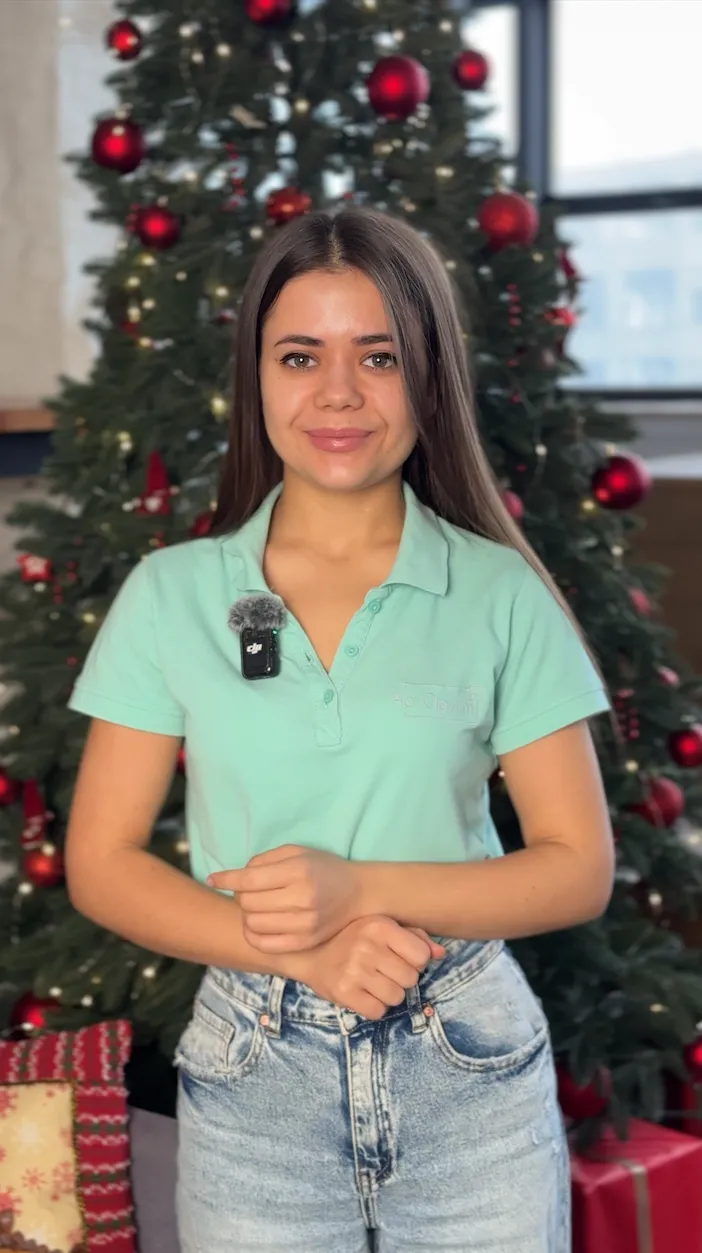
Direct-to-Camera Angle
This is the main angle for expert videos. It builds trust, creates clarity, and helps you connect directly with the viewer. Use a simple background, keep the frame steady, and make sure the camera is at your eye level to avoid distortion.
Example:
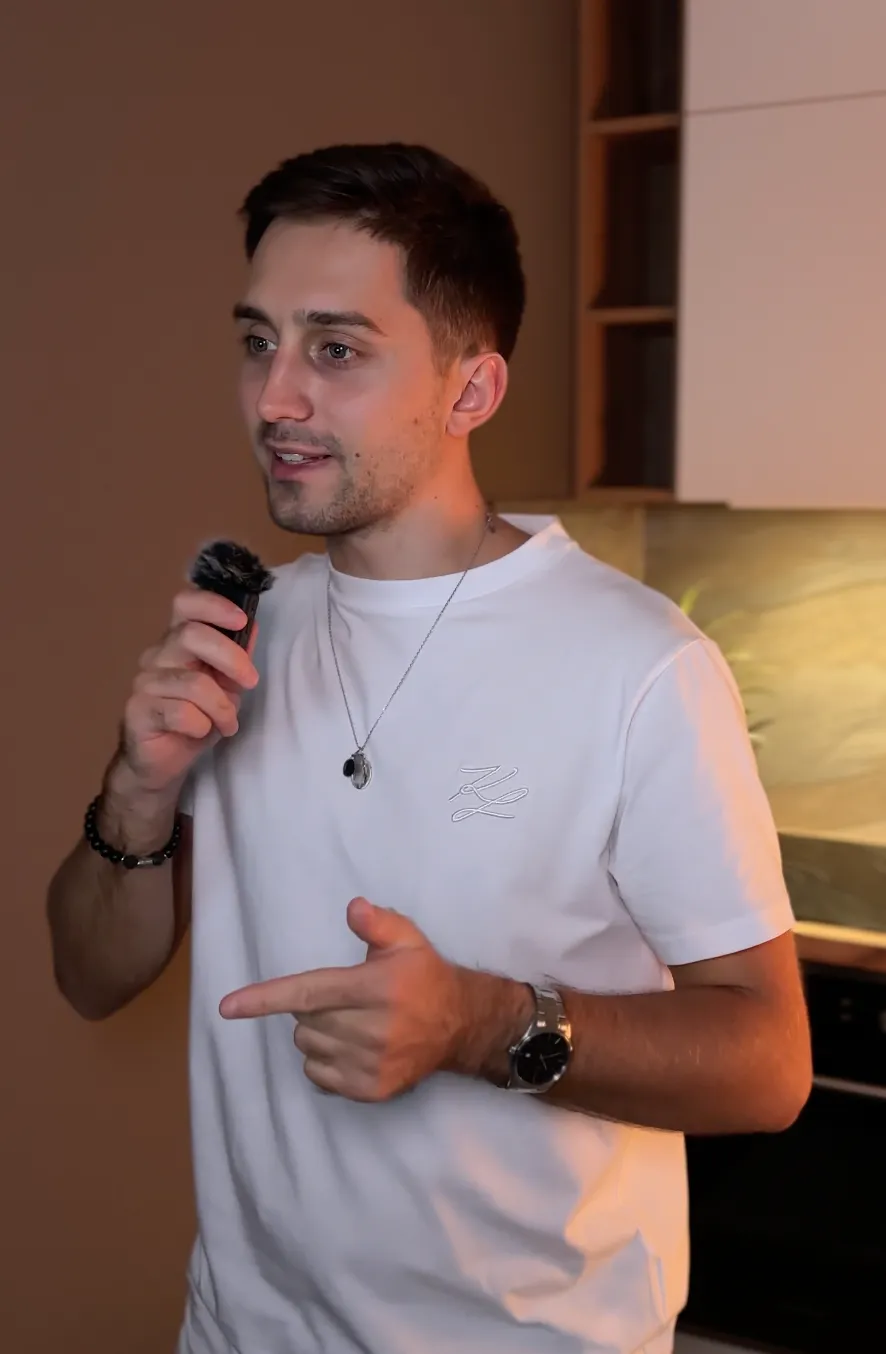
Side Angle (3/4 View)
A slight turn of the camera adds visual variety and makes your video feel less static. This angle is often used in podcasts, interviews, and cinematic personal content.
Example:
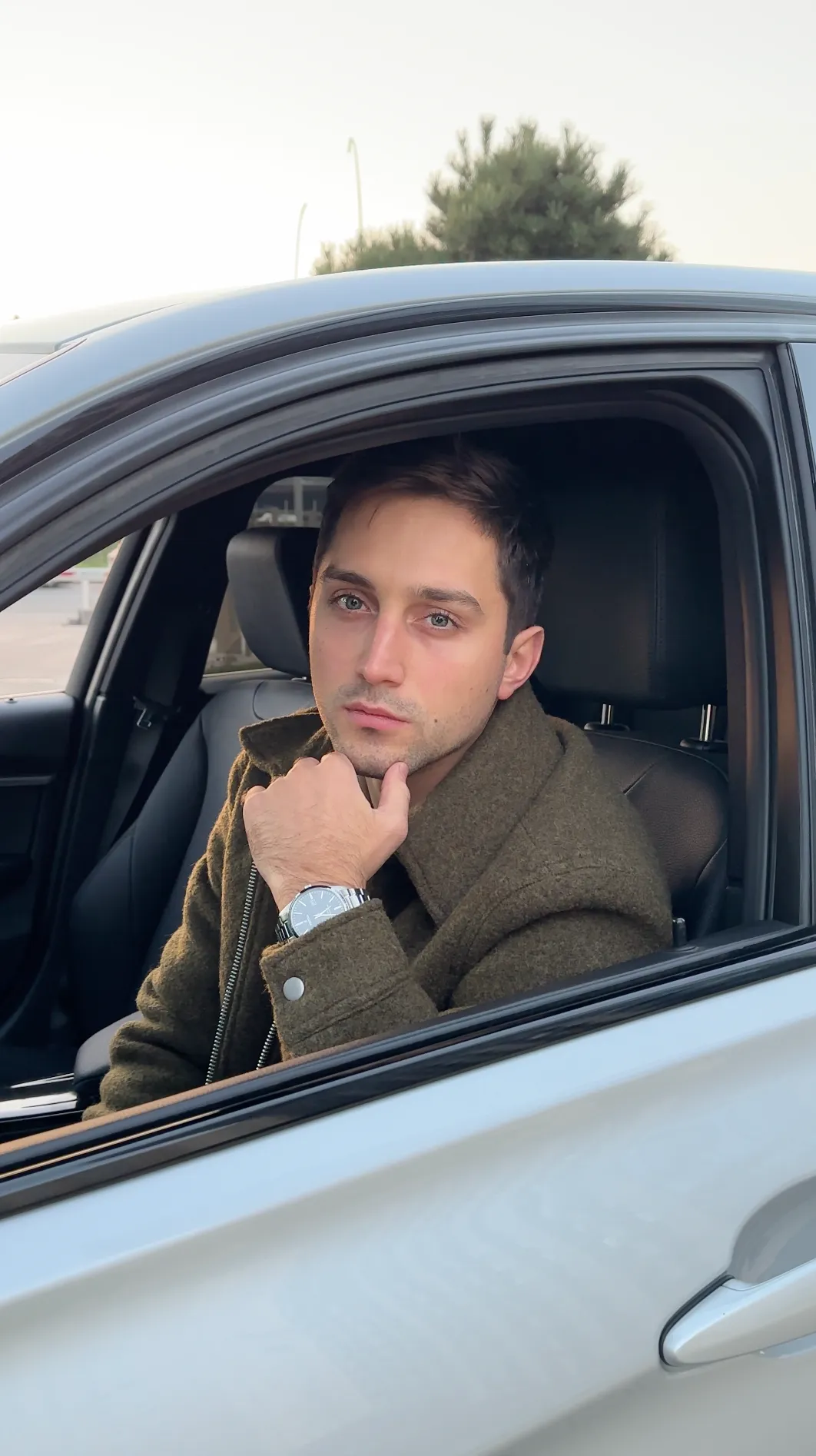
Object-Based Angle
Filming through or behind objects like doorframes, mirrors, or everyday items creates a cinematic effect without extra equipment. It helps diversify visuals while keeping the process simple.
Example:
4. Post-Production
Post-production is where your video truly comes together. You can send your files in any format - directly through Instagram or WhatsApp, or via Google Drive, WeTransfer, or Dropbox. Even simple footage can look polished and professional once it's edited correctly.
A standard post-production workflow includes:
- Cutting and structuring footage
- Colour grading for a clean look
- Adding b-roll to support your message
- Using effects or presets for branding
- Subtitles for better retention
- Sound design to improve clarity
If you're just starting out, use CapCut. It's simple and works directly from your phone. For more professional results, switch to Adobe Premiere Pro, After Effects, or DaVinci Resolve. If you want high-quality, dynamic videos without the learning curve, our editing packages are available for any budget.
Bonus: Lighting Schemes for Advanced Creators
Once confident filming expert videos, experiment with lighting setups. Small adjustments can make your content look more polished and branded.
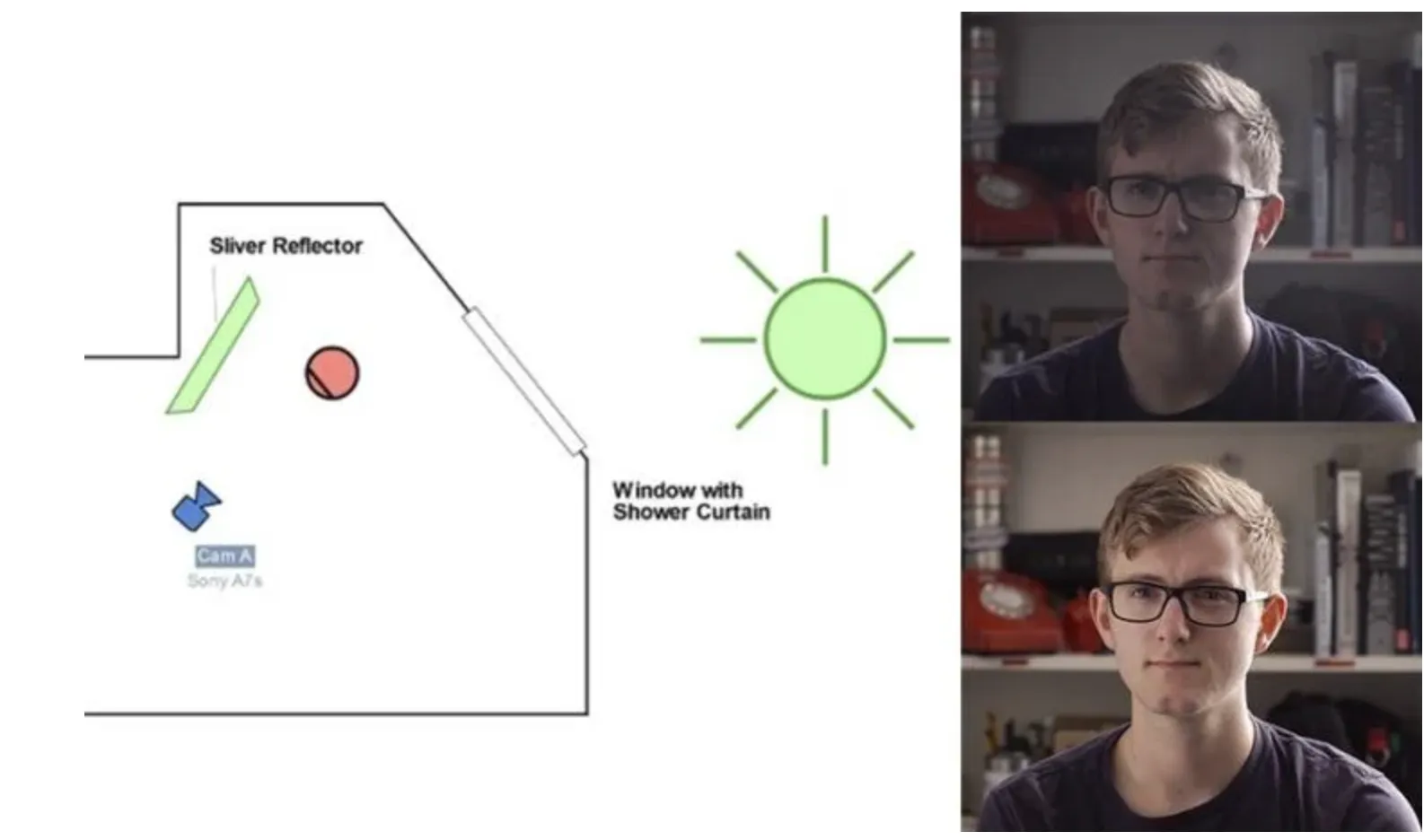
One-Light Scheme with a Reflector
This works well when filming near a window:
- Natural daylight as your key light
- Reflector to bounce soft light onto the darker side of your face
If you don't have a reflector, use a white wall, sheet of paper, or a large notebook. This creates a clean, cinematic look without extra equipment.
Example:
Basic Two-Light Scheme
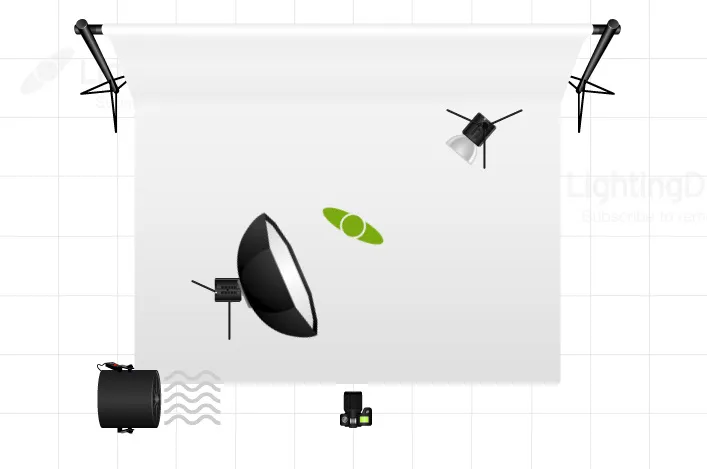
A simple two-light setup gives a professional look:
- Key light in front
- Backlight behind you to create separation from the background
The backlight can be a coloured LED, desk lamp, or small portable light.
Example:
Need Help With Video Editing?
If you want your expert videos to look clean, engaging, and professional, our post-production team is here to help. Whether you need editing, colour grading, sound cleanup, subtitles, or final delivery formats, send us the files and we'll handle the rest. Book a quick call and we'll discuss the best next steps for your edits.